Description
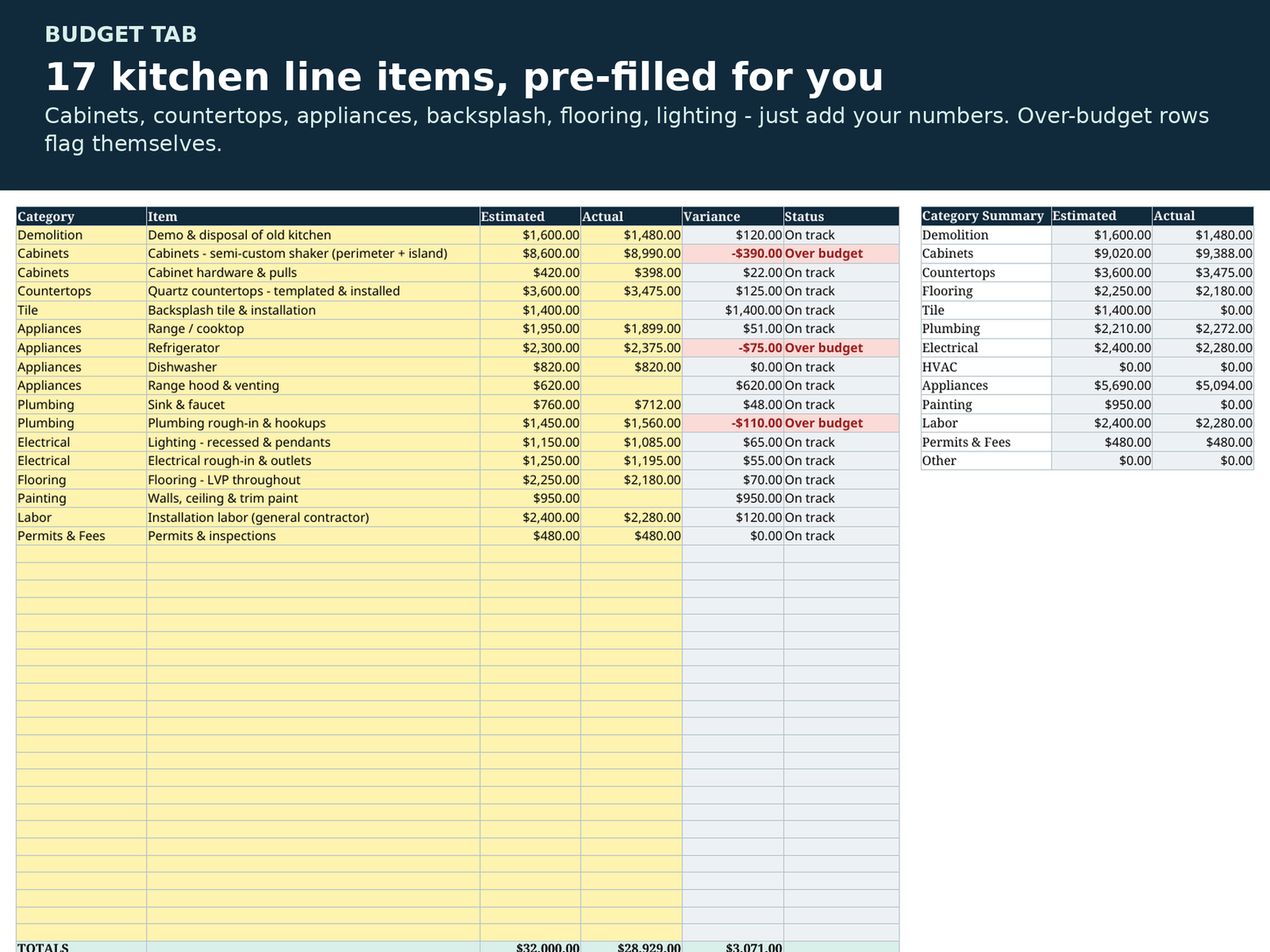
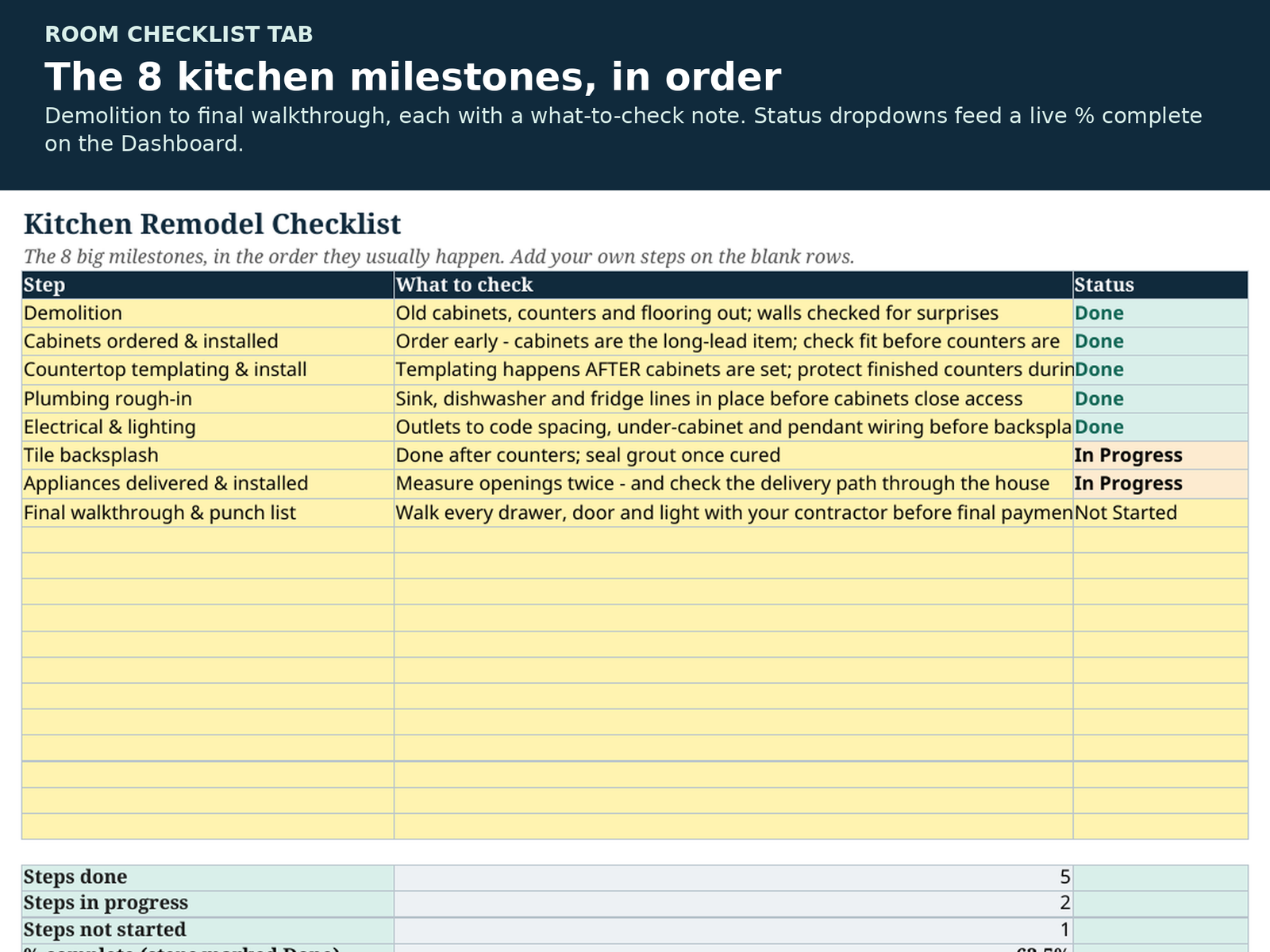
Planning a kitchen remodel? This is the spreadsheet built for exactly that job — not a generic budget with “kitchen” typed on top. The Budget tab comes pre-filled with the 17 line items a real kitchen remodel actually has — cabinets, countertops, backsplash tile, appliances, sink and faucet, flooring, lighting and the rest — and a Room Checklist walks you through the 8 kitchen milestones in the right order, from demolition to the final walkthrough.
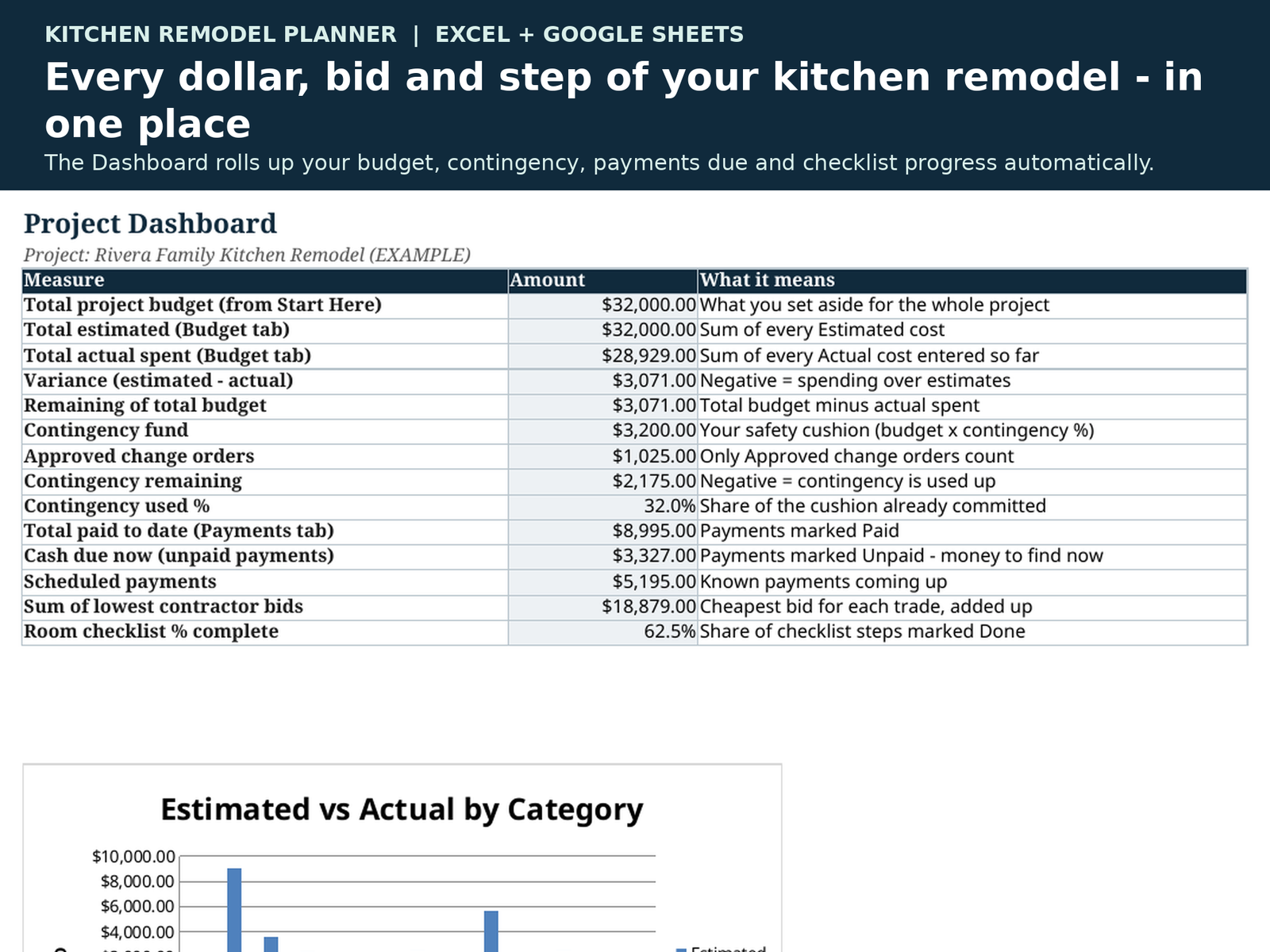
Everything rolls up to one Dashboard: what you budgeted, what you estimated, what you’ve actually spent, what’s left, your contingency fund and how much of it change orders have used, what’s paid, what’s due right now, and how far through the checklist you are. If a row goes over budget — or the whole project does — it flags itself in red instead of surprising you later.
The 7 tabs:
• Start Here — your project settings (budget, contingency %, dates); the whole workbook reads from here.
• Dashboard — the whole remodel on one screen, all formulas, plus an Estimated vs Actual chart.
• Budget — 17 kitchen line items pre-filled (delete what you don’t need, add your own), with variance and automatic Over budget warnings.
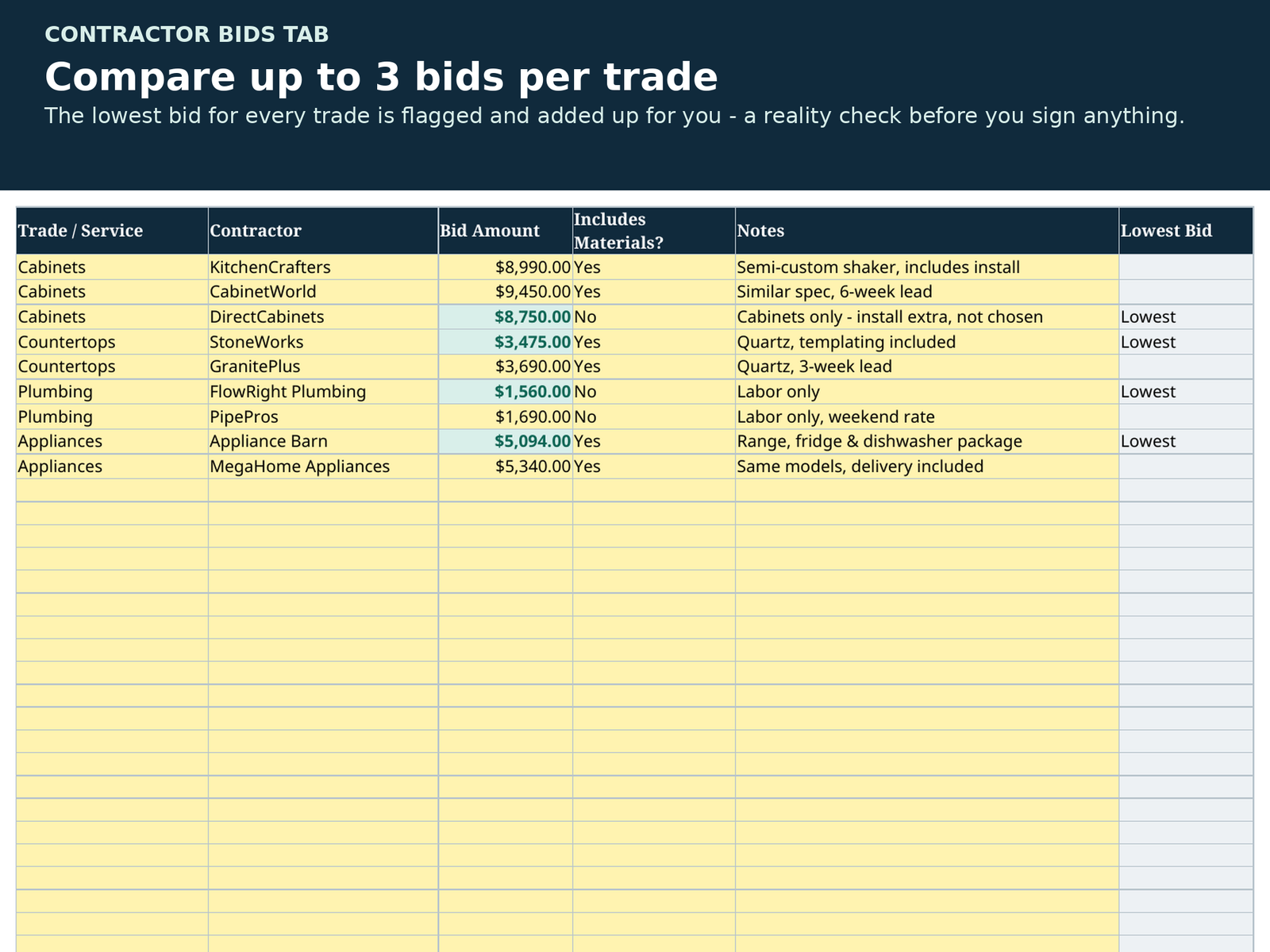
• Contractor Bids — up to 3 bids per trade; the lowest bid for each trade is flagged and totalled automatically.
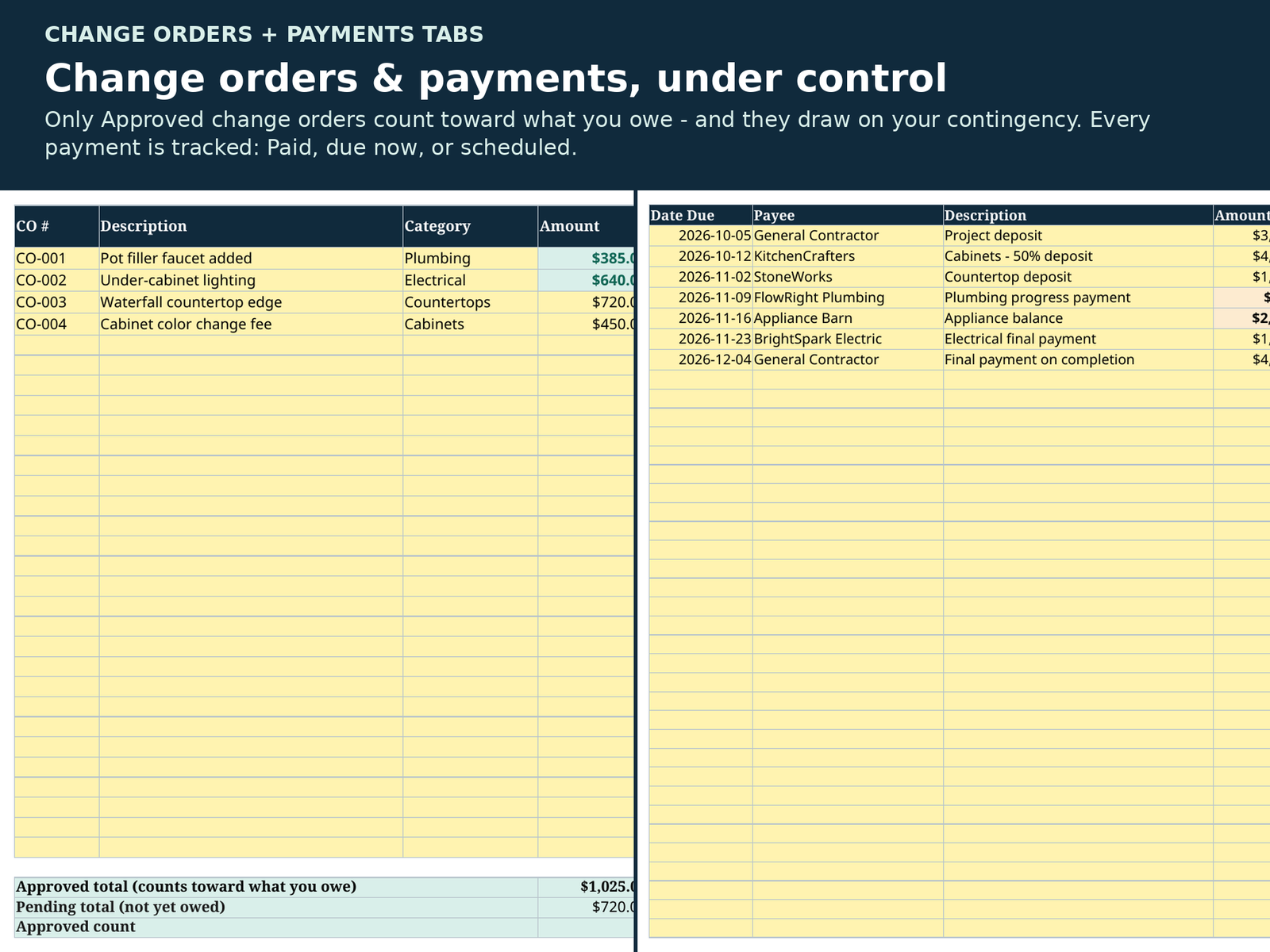
• Change Orders — every extra gets logged; only Approved change orders count toward what you owe, and they draw on your contingency fund so you always know what’s left.
• Payments — Paid / Unpaid / Scheduled, with a clear “cash due now” total.
• Room Checklist — the 8 kitchen milestones in order (demo, cabinets, countertop templating, plumbing rough-in, electrical, backsplash, appliances, walkthrough), each with a practical what-to-check note and a % complete that updates itself.
Honest positioning — which RemodelLedger planner do you need?
• Remodeling the kitchen only? This one. It’s the Mini’s bigger, kitchen-specific sibling.
• The Renovation Budget Spreadsheet Mini ($12.99) is the lighter, any-room version — budget and payments, no bids comparison, no change orders, no checklist. The Renovation Budget Basic ($7.99) is the bare-bones starter.
• Remodeling a whole house or several rooms at once? The Home Renovation Planner System ($34.99) adds a materials tracker, a project timeline, more bids per trade and much more room to grow. This Kitchen Planner deliberately leaves those out to stay focused on one room.
You receive 3 files:
1. The planner, BLANK — kitchen items and checklist pre-filled, money columns empty, ready for your project.
2. The planner, EXAMPLE — a complete fictional kitchen remodel ($32,000 budget) filled in, so you can see exactly how everything works before you start.
3. A Quick Start Guide (PDF) — setup in about 5 minutes, and every tab explained.
Good to know:
• Works in Microsoft Excel and Google Sheets. Yellow cells are for typing, grey cells are formulas — that’s the only rule.
• No subscriptions, no macros, no add-ons. Buy once, reuse for every project.
• Instant download — files are available as soon as you check out.
About how this was made: This spreadsheet was created with the help of AI tools, then independently formula-tested (66 automated checks recalculated and verified, including blank and zero-value cases) and reviewed before listing — the same standard as every RemodelLedger product. The example numbers are fictional.



Reviews
There are no reviews yet.